CoralThunder

Clear Sightlines Across Every Channel · WCAG 2.2 AA

Accessibility Statement

How CoralThunder is engineered for high-contrast daylight legibility, full keyboard navigation, screen-reader clarity, and calm, user-controlled motion across phones, tablets, and desktops.

Standard: WCAG 2.2 Level AA Statement Date: Contact: [Contact email]

Our Commitment & WCAG 2.2 AA Conformance Goal

CoralThunder (coralthunder.com), operated by [Operator legal name], is built so every visitor can explore our independent British guide to naval, pirate, and ocean combat browser games without visual, motor, auditory, or cognitive barriers. We design and test every page against the Web Content Accessibility Guidelines (WCAG) 2.2 at Level AA.

Whereas many gaming portals rely on low-contrast dark-mode text, auto-playing audio, or cramped tiny print, the Caldera of CoralThunder uses a sunlit equatorial daylight palette. Every game card, verified facts strip, comparison table, and policy disclosure is structured for immediate legibility from a 320px mobile handset up to widescreen desktop monitors.

1. Equatorial Daylight Contrast

All primary copy is set in deep abyssal navy (#0D1B2A and #1A2530) on warm sun-bleached shell cream (#FDFBF2), pearl white (#FFFFFF), or soft seafoam (#D4ECEB), comfortably exceeding the WCAG 2.2 AA 4.5:1 contrast ratio for normal text and 3:1 for large display headings.

2. Silent, User-Controlled Media

The opening hero loop on our home page is strictly silent, carries a keyboard-accessible Pause animation / Play animation button, and automatically reverts to a high-resolution painted still image whenever your device requests reduced motion.

3. Piezo-Gold Keyboard Focus

Every interactive link, navigation toggle, expandable facts strip (<details>), and official game button works with a keyboard alone and displays an unmistakable high-contrast golden-amber focus ring (3px solid #FFB830 with a deep navy outer halo).

4. Semantic Landmarks & No-JS Resilience

Every page provides a single <h1>, logical heading hierarchy, native HTML landmarks, descriptive alternative text for all game covers and scene paintings, and full readability even if JavaScript is disabled or blocked.

Technical Accessibility Measures on CoralThunder

Below are the concrete engineering measures built into the CoralThunder design system and HTML architecture across all seven pages of the site:

Motion, Animation & Hero Video Controls

  • Silent Hero Video with Pause Control: The opening scene on The Caldera (Home) includes a looping ambient background video without any audio track. Visitors can pause or resume playback at any time via the on-screen Pause animation button in the lower-right corner of the hero stage.
  • Automatic prefers-reduced-motion Support: If you enable Reduce Motion or Remove Animations in your operating system (Windows, macOS, iOS, Android, or Linux), our stylesheet and script automatically disable scroll-reveal transitions, halt the ambient floating animation on character cut-outs, and replace the hero video with its static painted still image.
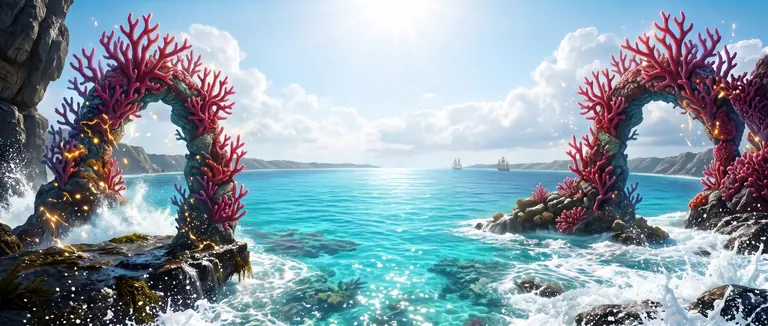
  • No Flashing or Strobing Content: Although our fictional world features painted golden piezo-lightning across coral arches, no element on the website flashes or strobes, complying with WCAG 2.3.1 (Three Flashes or Below Threshold).

Typography, Sizing & Layering Over Artwork

  • Self-Hosted Fonts & Minimum Type Floor: We self-host our display face (Kanit) and body face (Manrope) in WOFF2 format with instant system-font fallbacks so text never remains invisible while loading. No text anywhere on the website—including compact facts strips and footer disclosures—is smaller than 12px (0.75rem).
  • Strict z-index Separation Above Cut-Outs: Decorative character cut-outs (Corathun, Thundara Vex, and the Storm Astrolabe) and branching staghorn coral frame corners are confined to lower stacking layers (z-index: 1 to 3) with pointer-events: none. All headings, body paragraphs, facts strips, and buttons sit strictly on the front layer (z-index: 4) so no illustration ever obscures a word or blocks a click target.
  • Text Zoom & Reflow up to 400%: Layouts use fluid clamp() typography, CSS Grid, and Flexbox so you can zoom up to 200% and reflow content on a 320px viewport without horizontal scrolling or clipped sentences (aside from multi-column comparison tables, which scroll horizontally inside dedicated responsive wrappers).

Keyboard Navigation & Screen-Reader Landmarks

  • Skip to Main Content Link: Pressing Tab immediately upon loading any page reveals a high-contrast Skip to main content link at the top-left of the screen, allowing keyboard and switch-device users to bypass the navigation bar and jump straight to <main id="main">.
  • Semantic Landmarks & Disclosure Widgets: Pages are organised with <header>, <nav aria-label="...">, <main>, <section aria-labelledby="...">, and <footer> landmarks. Each game's source verification block uses a native HTML <details> and <summary> element that operates natively with Enter or Space even with JavaScript turned off.
  • Explicit External Link Announcements: Every button leading to a featured game's official website includes a screen-reader note (opens in a new tab) alongside the game's title, so assistive technology users know before activating the link that they are leaving CoralThunder.
  • Purposeful Alternative Text: All nine painted game covers and narrative scenes carry detailed, descriptive alt attributes written in plain English. Purely ornamental coral brackets, wave dividers, and margin cut-outs carry alt="" or aria-hidden="true" so screen readers are never slowed down by decorative noise.
Summary of CoralThunder Accessibility Controls & Behaviour
Feature / Area WCAG 2.2 AA Criterion How It Works on CoralThunder
Skip Link & Focus Order 2.4.1 Bypass Blocks · 2.4.3 Focus Order · 2.4.7 Focus Visible First Tab stop reveals Skip to main content; every interactive control displays a 3px golden-amber outline and dark navy halo.
Daylight Colour Contrast 1.4.3 Contrast (Minimum) · 1.4.11 Non-text Contrast Abyssal ink text on shell-cream and seafoam surfaces; banner headings use opposite-tone white halos over painted skies.
Hero Video & Motion 2.2.2 Pause, Stop, Hide · 2.3.3 Animation from Interactions Silent looping video includes an explicit Pause/Play toggle and halts automatically when prefers-reduced-motion: reduce is active.
Responsive Mobile Drawer 1.4.10 Reflow · 4.1.2 Name, Role, Value On screens below 920px, the menu button updates aria-expanded, closes on Escape, and remains accessible without JavaScript.
Verified Game Facts Strips 1.3.1 Info and Relationships · 2.1.1 Keyboard Structured with semantic description lists (<dl>, <dt>, <dd>) and native keyboard-operable <details> disclosures.

External Game Websites & How to Report an Accessibility Issue

Scope & Third-Party Browser Games

This Accessibility Statement applies to all pages hosted on coralthunder.com. CoralThunder is an independent guide and does not host embedded games, game clients, or playable <iframe> windows on its own servers. When you select Visit Official Site on any featured game—such as Redcoats.io, Battle Fleet World, Call of War (Supremacy: Call of War 1942), OpenFront, Corsairia, YoHoHo.io, Rocket Bot Royale, Deeeep.io, or Stabfish.io—you travel to an external website operated by that game's respective developer or publisher.

Because those external WebGL, HTML5 canvas, and strategy interfaces are engineered and maintained by independent third-party studios, we do not control their keyboard remapping, screen-reader support, or in-game colour-blindness settings. However, to help you weigh which title suits your setup before you leave our guide, our Fleet & Strategy Guide and Instant Skirmish Guide clearly describe each game's pacing—from unhurried turn-based island duels and multi-day grand strategy maps to fast-reaction arcade arenas.

Report an Accessibility Barrier or Request Assistance

If you encounter any difficulty reading a section of CoralThunder, operating a control with your keyboard or assistive software, or viewing a table on your screen size, please let us know. We review every report personally and aim to resolve verified accessibility issues promptly.

Direct Accessibility Contact

  • Email: [Contact email]
  • Operator: [Operator legal name] ([Legal form], [Registered in, company number and registered office])
  • Postal Address: [Trading address]
  • Helpful details to include: The page URL (for example, /accessibility/ or /fleet-command/), what you were trying to do, and the browser, device, or assistive technology (such as NVDA, JAWS, VoiceOver, TalkBack, or Dragon) you were using.

This statement was last reviewed and updated on . For details on how we handle technical server logs and emails sent to our team, please see our Privacy Policy, or visit About CoralThunder and Parents & Carers for further guidance.